Manual subscription tracker
See the damage. Then cut it.
Billpile adds up every subscription and recurring bill you type in, then shows you one honest monthly total and one honest yearly total. It reminds you before each renewal so you can cancel in time. No bank login. Nothing leaves your browser.
No account. No email. No bank connection.
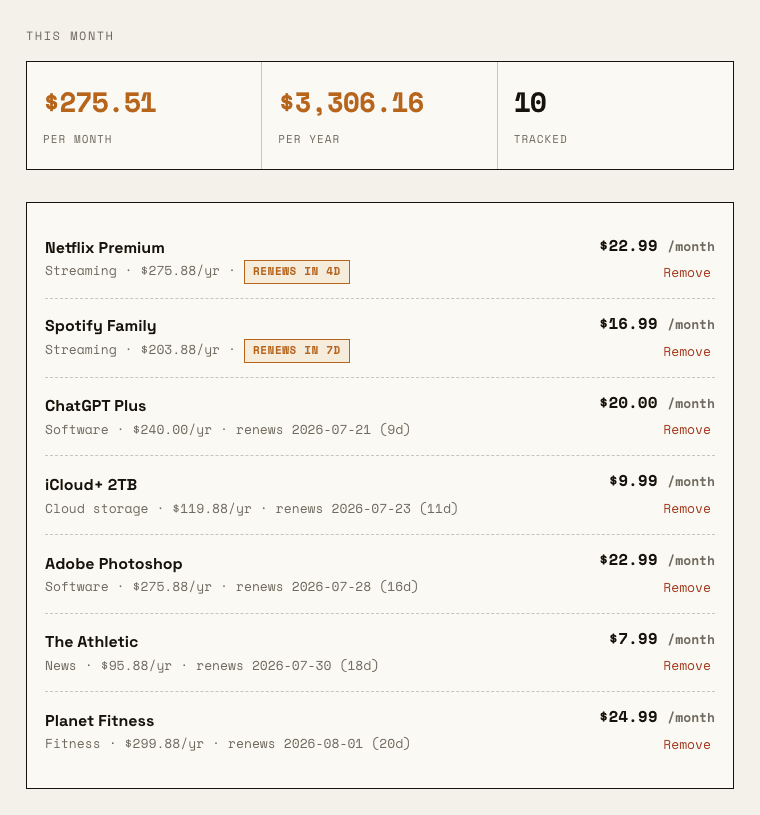
I built Billpile because I tried to use Rocket Money to find what I was wasting money on, and the first thing it did was ask me to log into my bank. I did not want to hand a company read access to every transaction I have ever made just to be told I was still paying for a trial I forgot about in 2023.
So I made the boring version. You type in what you pay for. It does the math. It nags you before a charge lands. That is the whole app. It will never see your bank, because it never asks.
One person, no VC, no bank API. Just me and a receipt printer aesthetic.
What it actually does
Turns a mess into one number
A weekly charge, a monthly one, and a yearly renewal are impossible to compare in your head. Billpile normalizes all of them into a single monthly figure and a single yearly figure, so you know the real burn instead of guessing.
Warns you before the charge
Everything sorts by what renews next. Export the whole list as a calendar file and your phone reminds you two days ahead, which is enough time to cancel if you want to. You do the cancelling. Billpile just makes sure you saw it coming.
Breaks it down by category
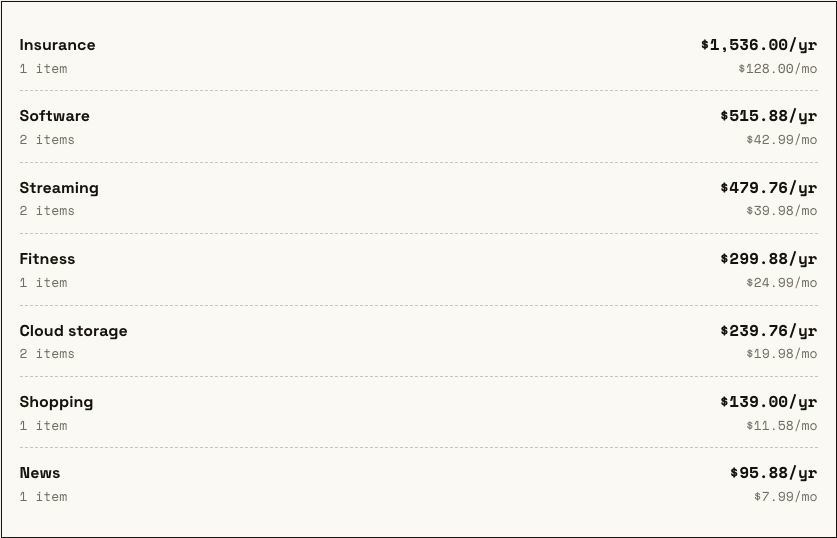
Streaming, software, insurance, the gym you stopped going to. See which category is quietly the biggest line on your ledger.
Stays on your device
Your list lives in your browser, not on a server we own. We could not sell your data if we wanted to, because we never receive it. Keep a JSON backup and it moves with you.
Billpile vs the free app everyone means
Rocket Money is genuinely free, and if you are fine linking your bank it does more than this does. Here is the honest trade you are making, laid out plainly.
| Billpile | Rocket Money (free) | |
|---|---|---|
| Bank login required | Never | Yes, to work |
| Reads your transactions | No | Yes |
| Cost | $9.99 once | Free, then a ~$12/mo concierge upsell |
| Finds subscriptions for you | No, you add them | Yes, automatically |
| Where your data lives | On your device | On their servers |
Straight answer: if you want a robot to auto-detect charges and you trust it with your bank, use Rocket Money. If you would rather spend five minutes typing and never link an account, that is what Billpile is for.
Two options, one of them free
Free
$0
- Track up to 5 subscriptions or bills
- Real monthly and yearly totals
- Upcoming renewals, sorted
- Annual cost shown on every item
- JSON backup and restore
Full version
$9.99 once
A subscription-tracking app with a monthly fee runs $48 to $144 a year, every year. This is one payment.
- Unlimited subscriptions and bills
- Calendar export for renewal reminders
- CSV import and export
- Cost breakdown by category
- Yours forever, no renewal
Fair questions
Why pay when Rocket Money is free?
Because free has a price here, it is just not money. Rocket Money wants a bank login so it can read your transactions, and it upsells a concierge that runs around $12 a month. Billpile asks for none of that. You type your subscriptions in, they stay on your device, and you pay $9.99 one single time. You are paying to not connect your bank.
Will it cancel subscriptions for me?
No, and I want to be honest about that. Billpile is a manual tracker. It shows you the total and warns you before a renewal. The cancelling is on you. It does not auto-detect charges and it does not cancel anything on your behalf. If you need that, this is the wrong tool.
How does it know about my subscriptions?
It does not, until you tell it. You add each subscription with a name, an amount, a cycle, and a renewal date. That takes a few minutes the first time and almost no time after. That manual step is the reason there is no bank connection.
What happens if I clear my browser?
Your data is gone, because it only ever lived in that browser. That is why the free version includes a JSON backup you can save and restore, on this device or a new one. Keep a backup if the list matters to you.
Is my payment safe?
Payment runs through Stripe, so your card details go to Stripe and never to me. I get a confirmation that a payment succeeded and nothing else. No name, no email, no card number sits on my side.